
Moneysecuro
Money
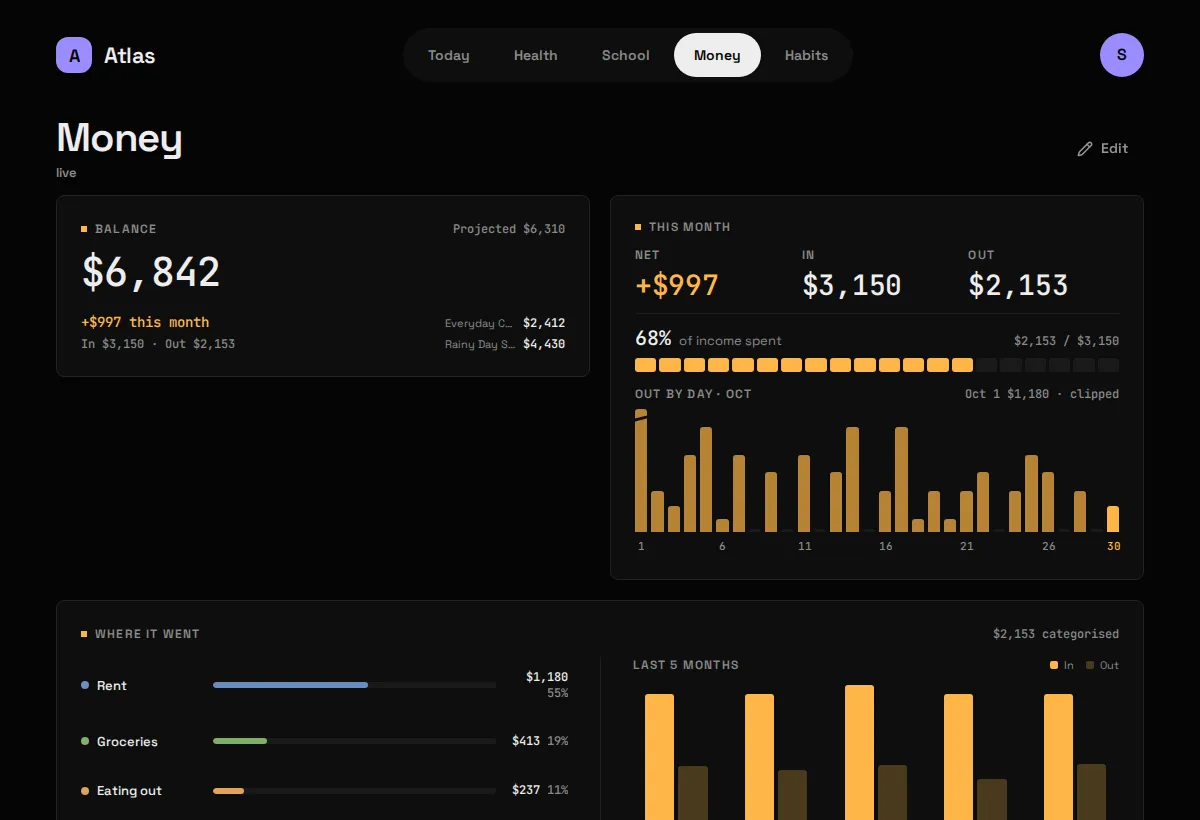
What it shows
Section titled “What it shows”Your balance, this month’s In and Out, where the money went by category, upcoming bills, accounts, savings goals and a few months of In vs Out, all read from Securo, a self-hosted personal-finance app. The screenshot above is Money before setup; once connected each Widget fills in.
| Widget | Sizes | Where |
|---|---|---|
| Balance | S M | anywhere |
| This month | M L | anywhere |
| Where it went | L XL | anywhere |
| Upcoming bills | M L | anywhere |
| Accounts | M L | Money only |
| Goals | M L | Money only |
| In vs Out | L XL | Money only |
What you need
Section titled “What you need”- A Securo you run yourself, reachable from
atlas-api. - The email and password of its account. The account must not have two-factor auth on (see Gotchas).
-
Put the login in
.env:Terminal window SECURO_EMAIL=you@example.comSECURO_PASSWORD=...If the password contains a
$, wrap it in single quotes (SECURO_PASSWORD='Tr0ub$dor&3'). Compose expands$in.envand would silently drop part of it. -
Tell Atlas where Securo is, in
config/modules/securo.yaml:base_url: http://backend:8000 # where atlas-api reaches Securo's backendpublic_url: https://securo.example.com # where your browser reaches it (optional)workspace_id: "" # optional; blank = the account's oldest -
If Securo runs in Docker on the same machine, let
atlas-apijoin its network with a compose override.http://backend:8000then works asbase_url. -
Add
securotomodules:inconfig/atlas.yaml, then:Terminal window docker compose up -d # up, not restart: .env changedcurl -s 127.0.0.1:8187/api/finance/ | python3 -m json.tool
Config keys
Section titled “Config keys”config/modules/securo.yaml, plus the Securo login: enter it in Setup in the browser, or set SECURO_EMAIL and SECURO_PASSWORD in .env (which wins).
| Key | Default | Meaning |
|---|---|---|
base_url |
http://backend:8000 |
Where atlas-api reaches Securo’s API. A Docker network name works here. |
public_url |
blank | Where your browser reaches Securo, for the “open Securo” link. Blank shows no link. |
workspace_id |
blank | Pin one Securo workspace. Blank uses the account’s oldest, as Securo’s own app does. |
The Module reports “needs setup” until both secrets are set.
What it stores
Section titled “What it stores”Live, stores nothing. No table, no migration: every Widget reads straight through atlas-api to Securo on each request. Money already has a source of truth, and a second copy that drifts would be worse than none.
The browser never talks to Securo directly. Going through atlas-api keeps the login out of the web app, and suits Securo, which only accepts requests from its own front end anyway.
The sync every 15 minutes is a reachability probe that writes nothing, which is why Money’s header says “live” or “unreachable” rather than “checked 4m ago”.
Gotchas
Section titled “Gotchas”- Two-factor auth on the Securo account stops this working. Securo answers a 2FA login with “requires 2FA” instead of a token, and there’s no unattended way past a code prompt. Atlas names that case on the Status screen. Use an account without 2FA, or a separate read-only one.
- A stopped Securo is an error, not a blank. With no archive behind it, Atlas says it couldn’t reach Securo rather than drawing an empty balance.
- The month in progress disagrees with itself slightly. For the current month Securo’s trend returns projected spending while its summary returns spending so far, so the last In vs Out bar and the Out figure differ until the month closes. That’s Securo answering two different questions.
- Uncategorised spending is shown as a to-do line beside the categories, never as a bar of its own. It links to
public_urlso you can go and categorise it. - Amounts are in the workspace’s primary currency, already converted by Securo. Out is always shown as a positive amount.
- The login is a 24-hour token with no refresh. Atlas keeps it in memory and logs in again when it expires, about once a day.