
Boards & Widgets
Every screen in Atlas is a Board: a grid of Widgets you arrange yourself. Today takes Widgets from every Area; each Area’s own screen takes only that Area’s Widgets. Arrangements are saved in Atlas’s database, so they follow you from laptop to phone.
| Size | Desktop | Phone |
|---|---|---|
| S | 1 × 1 | 1 × 1 |
| M | 2 × 1 | 2 × 1 |
| L | 2 × 2 | 2 × 2 |
| XL | 4 × 2 | 2 × 4, standing tall |
The grid is four columns wide from 900px, two below. A bigger Size shows more: Last night at S is the figure and a meter; at XL it’s the hypnogram and stage breakdown as well. Each Widget offers only the Sizes it looks right at.
Edit mode
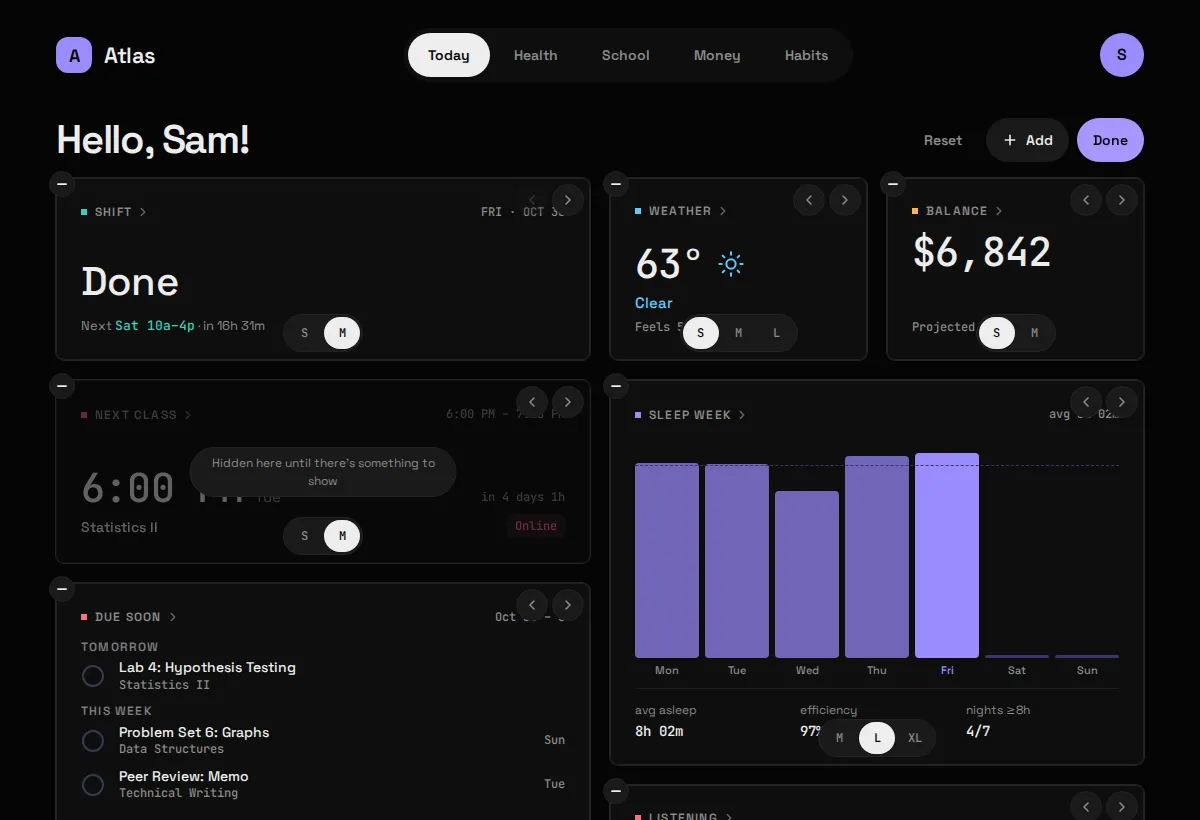
Section titled “Edit mode”Tap Edit in a Board’s header, or long-press any Widget. The Widgets start to wiggle, and each one gets:
- a (–) badge to remove it,
- a Size switcher with the Sizes it supports,
- earlier / later buttons, for the keyboard.
Drag a Widget to move it. Add opens the Widget gallery, Reset puts the Board back to its default, and Done saves. Escape does what Done does.
The Widget gallery
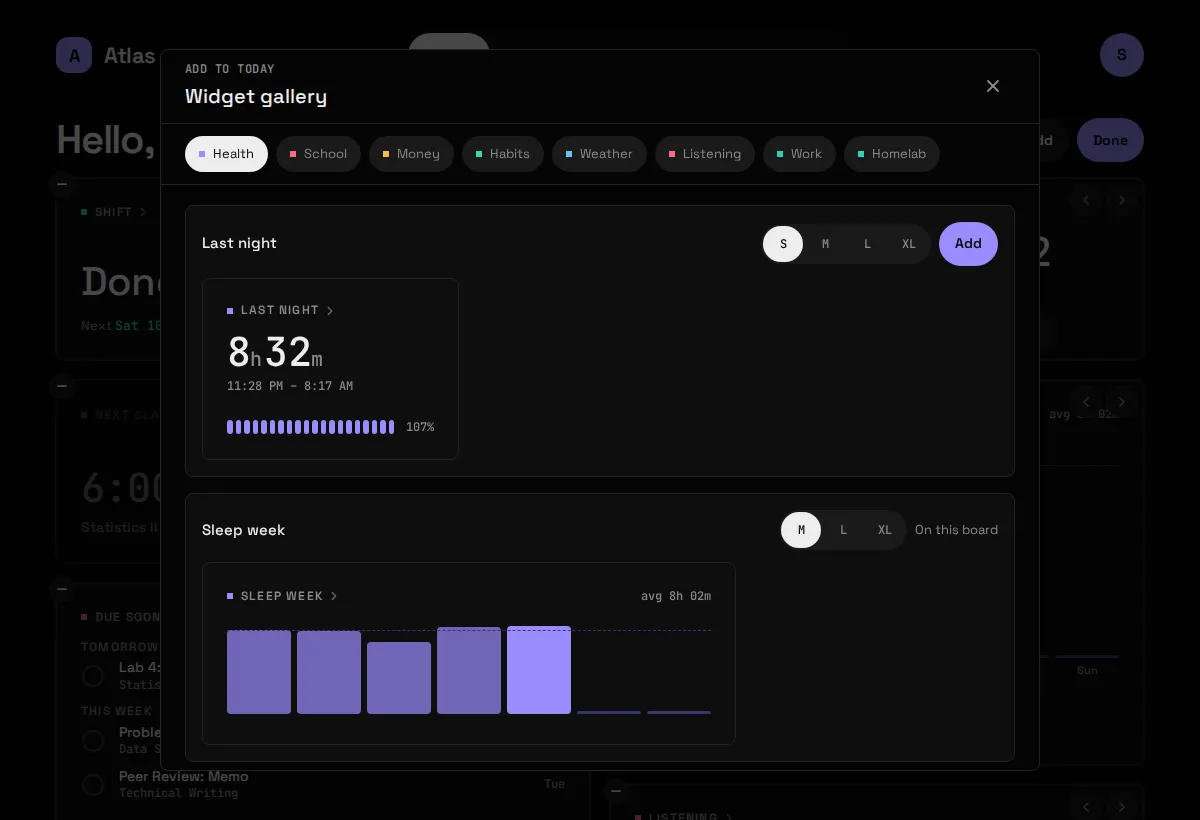
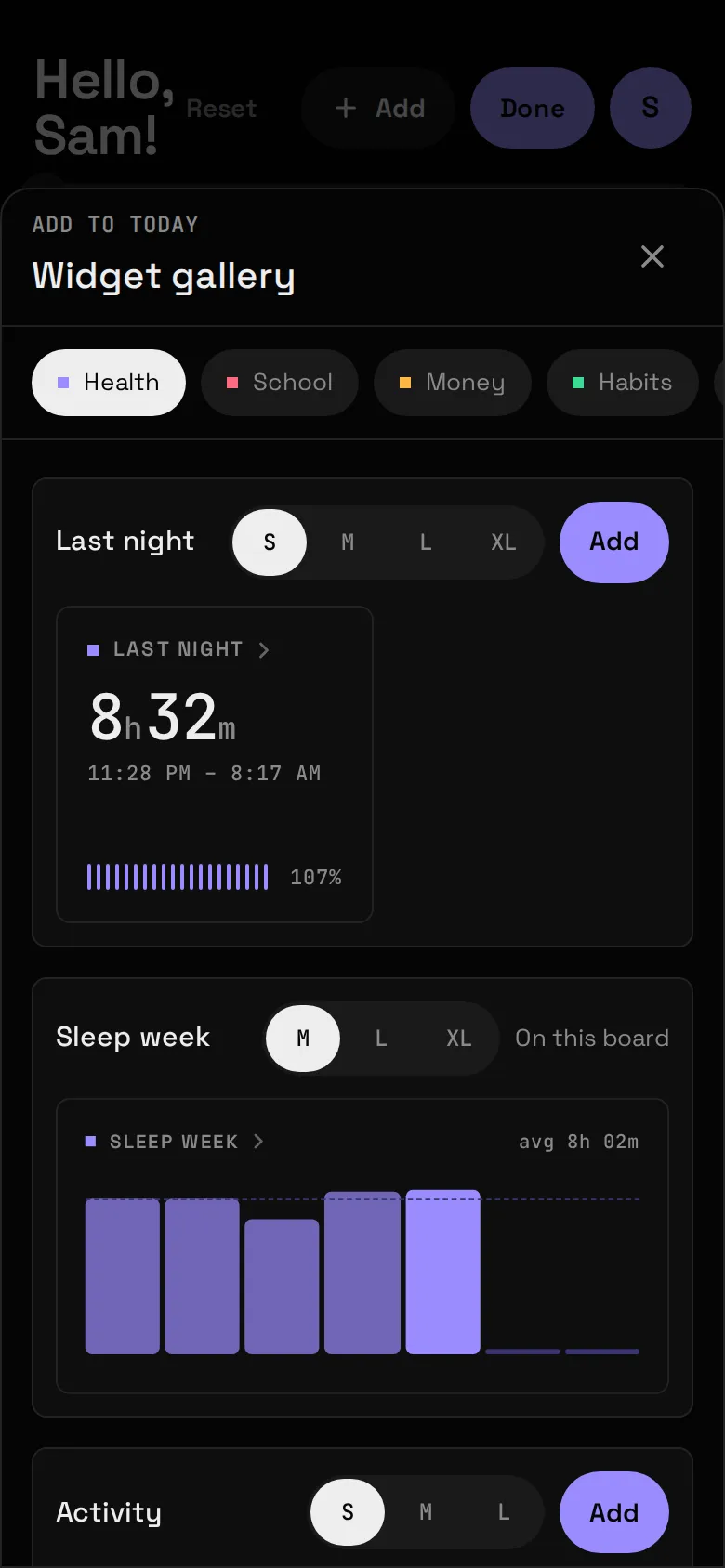
Section titled “The Widget gallery”The gallery lists every Widget you can still place on this Board, one tab per Area. Each entry shows a live preview at the Size you pick; Add drops it on the Board. A Widget already placed says “On this board”.
Area-only Widgets
Section titled “Area-only Widgets”Some Widgets are too detailed for a home screen and can be placed only on their own Area’s Board, never on Today: Sleep history, Past assignments, Accounts, Goals, In vs Out, Next hours and a few more. They’re marked in each Module page’s Widget table.
When a Module goes away
Section titled “When a Module goes away”Switch a Module off and its Widgets leave every Board. Saved Boards are checked against the Widgets that exist on every load, so a Widget that has gone, or a Size it no longer supports, can never break a Board: the tile is dropped or moved to the nearest Size it has.
Switch a Module on and its default Widgets are added to each Board you had already saved, once, after the Widgets already there. Your arrangement is left as it was, and a Widget you then remove is not added back. A Board saved before Atlas started keeping track is treated the same way: a Module that is on but has no Widget on it yet gets its default Widgets once. (If you had deliberately removed all of a Module’s Widgets before then, they come back this one time.)